
ZodQR QR code API - Automate QR Generation & Management
Easily connect ZodQR to your own apps, automation tools, or workflows using our powerful REST API.
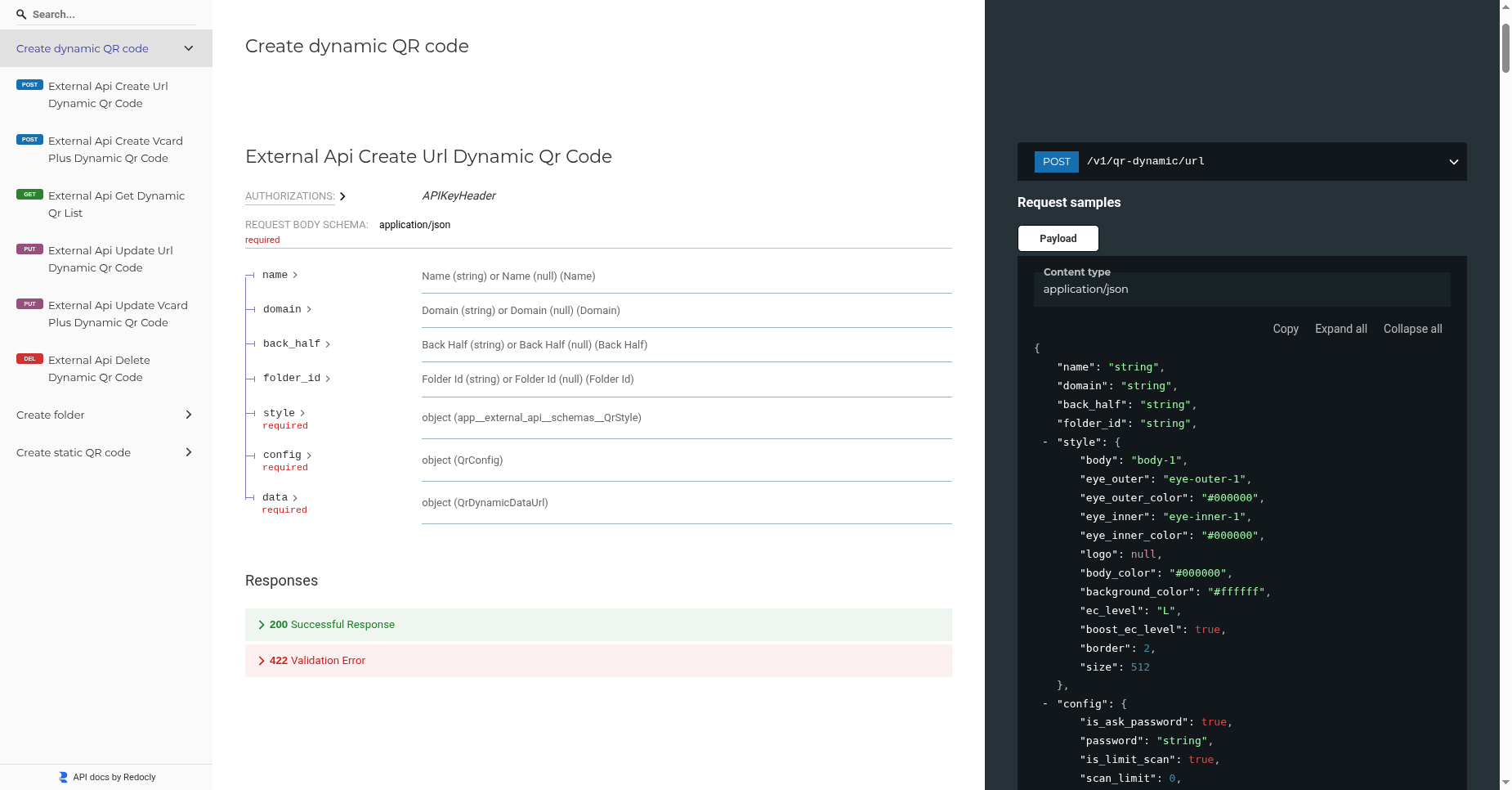
With the ZodQR API, you can programmatically create and manage dynamic QR codes, organize them into folders, or generate static QR codes — all directly from your system.
For the complete API reference, visit:
👉 https://external-api.zodqr.com/redoc
Getting Started
To integrate with the API, you first need to generate an API token.
Create an API Token
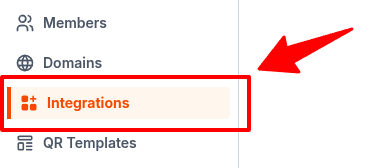
- From your ZodQR dashboard, go to the Integration page.
- Select the API tab.
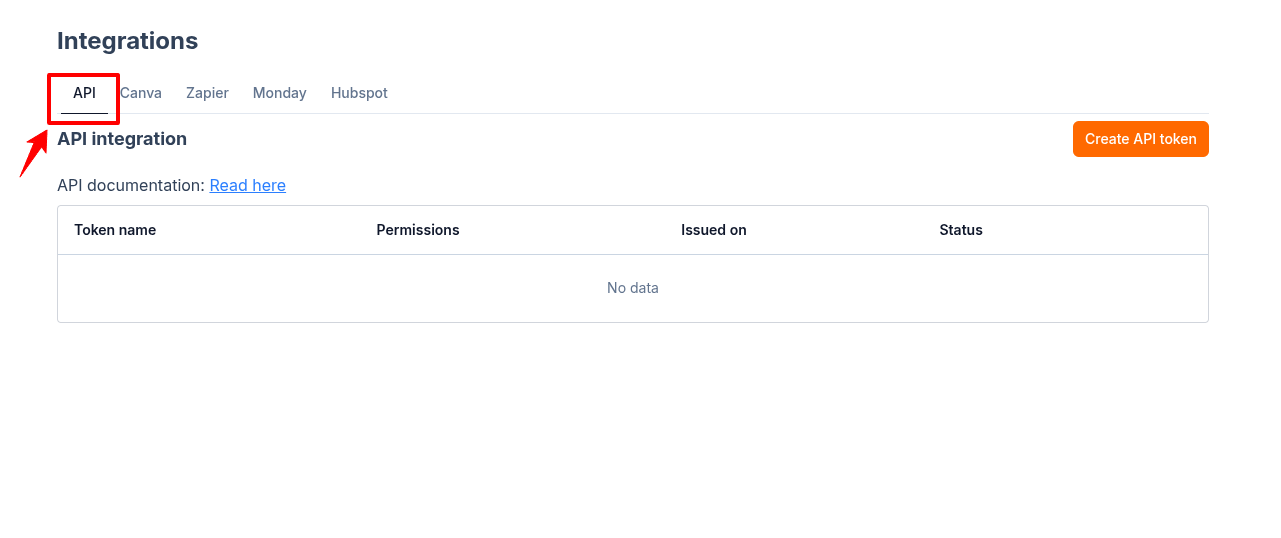
- Click Create token — a new modal will appear for token configuration:
- Token name – Give your token a descriptive name for easy management.
- Token permissions – Choose from the available access scopes.
- Whitelist IP addresses (optional) – Only allow IP from this list to use the token.
- Expiration date (optional) – Set a date if you want your token to automatically expire.
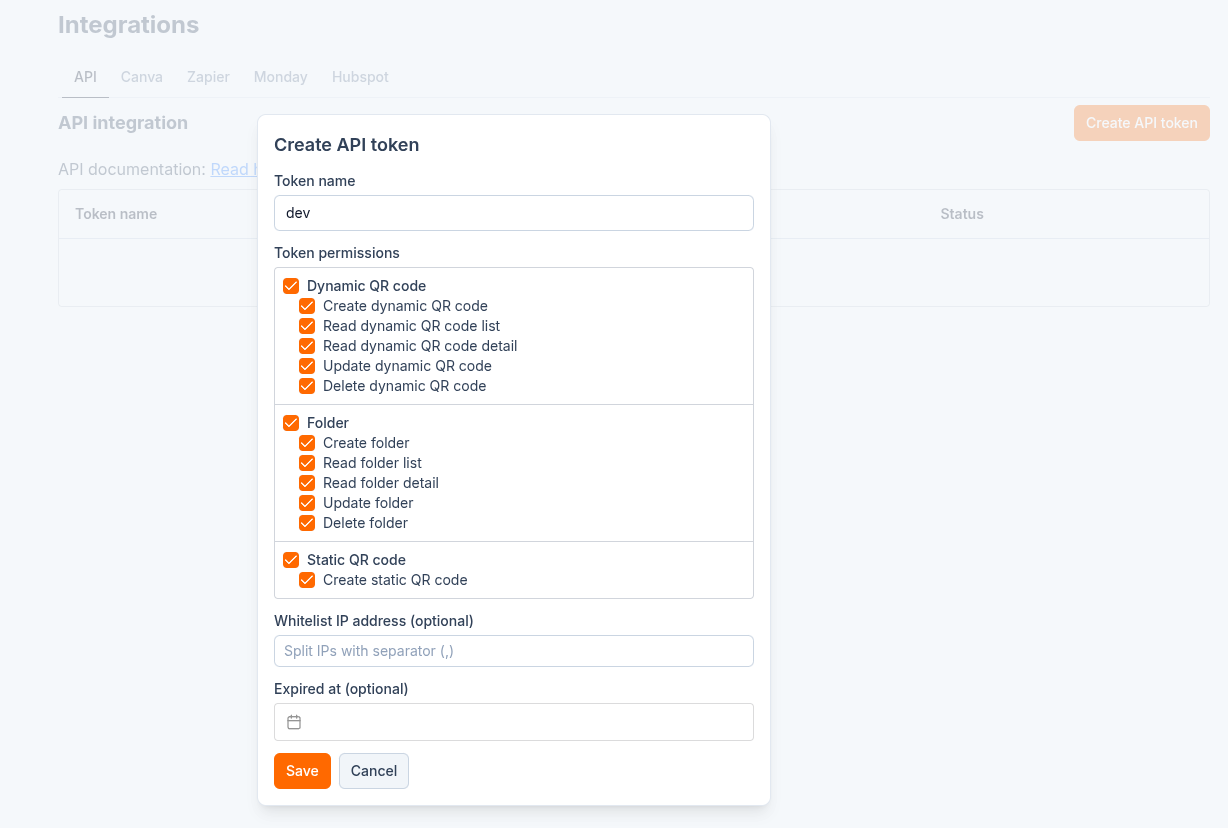
- Click Save.
Your new token will be generated and displayed once. Copy and store it securely — it will not be shown again.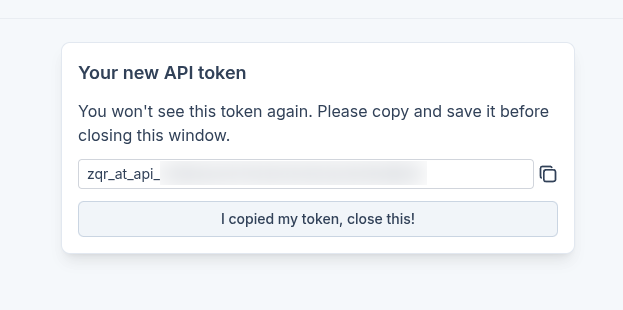
Using the ZodQR API
- Base URL:
https://external-api.zodqr.com - Authentication:
Include your API token in the request header:x-api-token: <your-token>
Once authenticated, you can interact with any available endpoints as described in the API documentation — including creating QR codes, fetching analytics, managing folders, and more.
For endpoint details, request/response formats, and parameters, visit: https://external-api.zodqr.com/redoc
Other Pro Features You Might Like
- Advanced analytics: Get detailed insights on scan time, device type, and location for one or many QR codes.
- Team collaboration: Invite members to your workspace, assign permissions, and work together efficiently.
- Bulk generation: Generate static or dynamic QR codes in bulk to save time.
- API integration: Integrate ZodQR’s API directly into your own systems.
- Canva integration: Automatically sync QR code images to your Canva assets.
- Zapier integration: Connect ZodQR with thousands of apps via Zapier.
- Custom domain: Use your own branded domain for dynamic QR codes.